

Every licence, certificate and policy — in one locked vault
A factory runs on paper it rarely looks at: the consent to operate, the factory licence, the fire NOC, the calibration certificates, insurance on eleven vehicles. Each one expires on its own day, and nobody finds out until an inspector asks. Nexora DocVault keeps them all in an encrypted vault on your own drive, tells you before each one runs out, and keeps every renewal as a version beside the one before.
A cupboard that reads, remembers and tells you
The documents are not scattered in folders with names like licence_final_2_new.pdf. Each one is a record — with its number, its party, its department, what it is linked to, when it expires and who may see it — and the file lives inside a vault only DocVault can open.
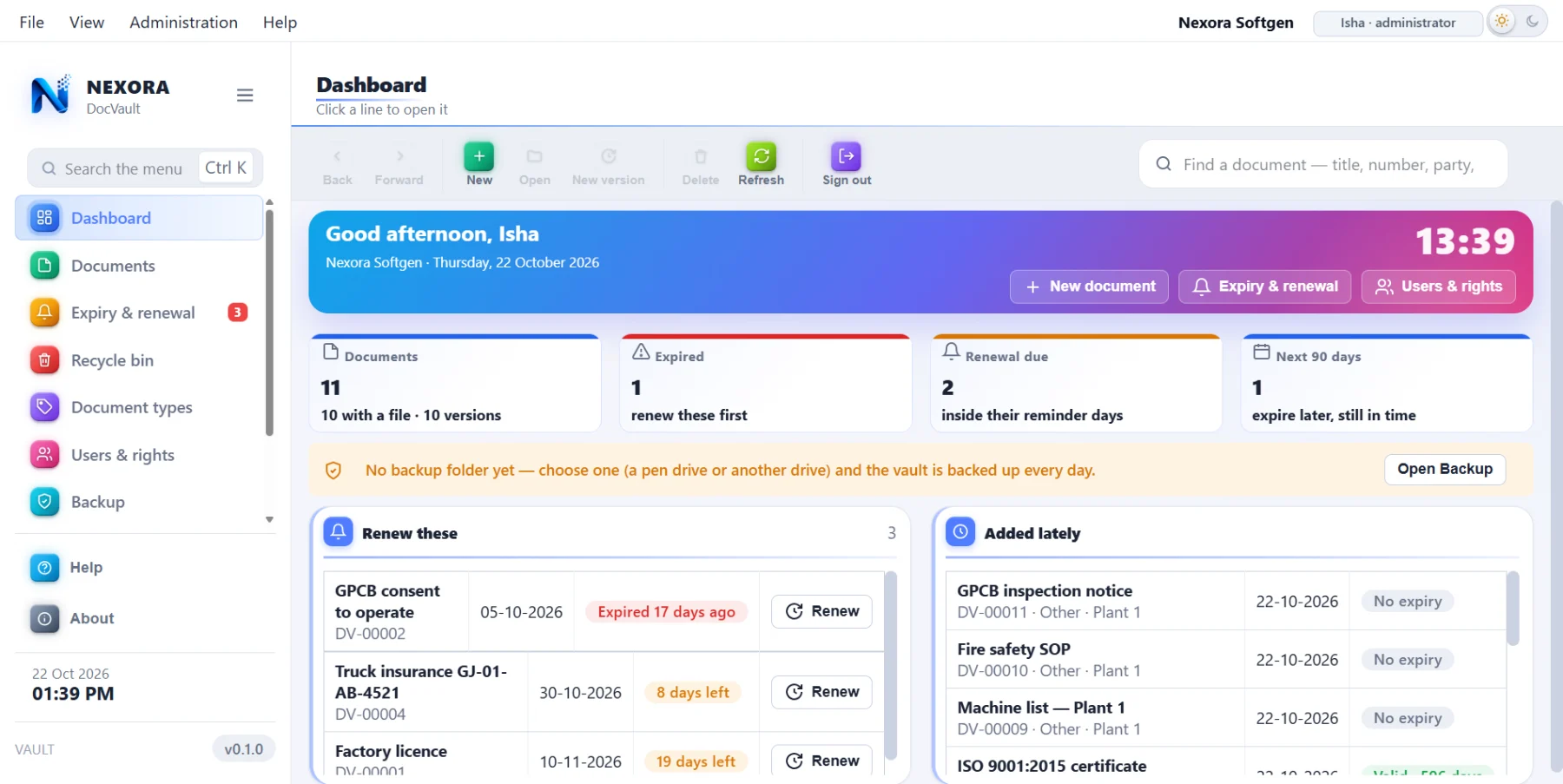
It tells you before the inspector does
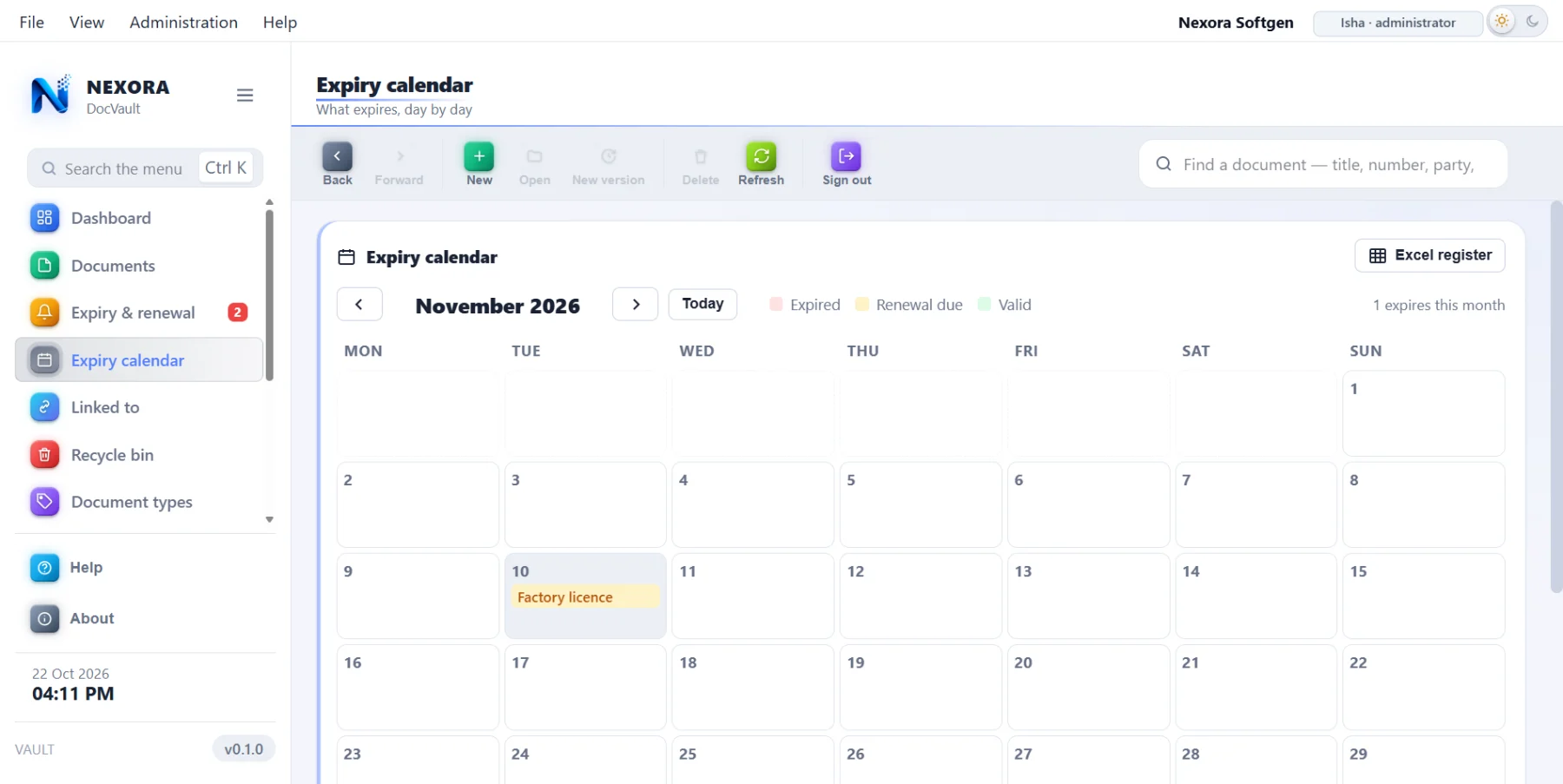
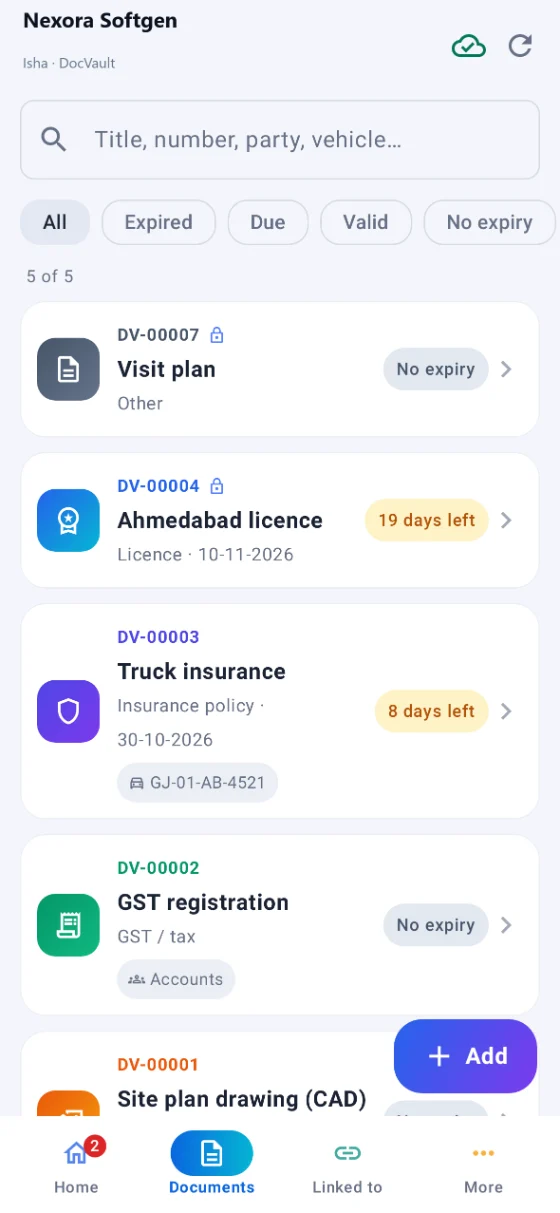
Every document can carry an expiry date and its own number of reminder days. DocVault starts with Windows and sits in the tray; each day it puts up one notice for whatever has expired or is inside its reminder days. The phone does the same, at a time the administrator picks.
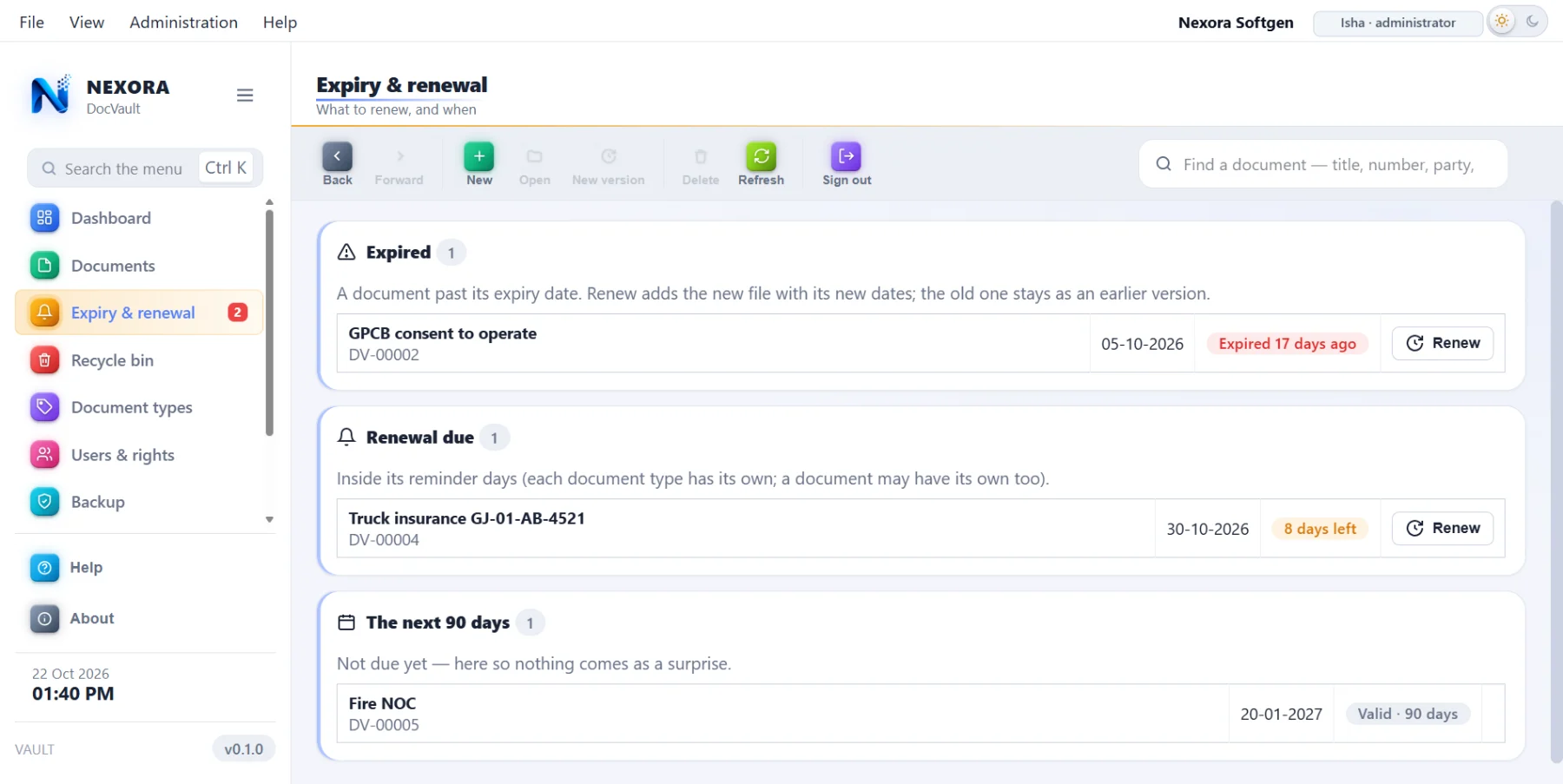
A renewal is a version, not a replacement
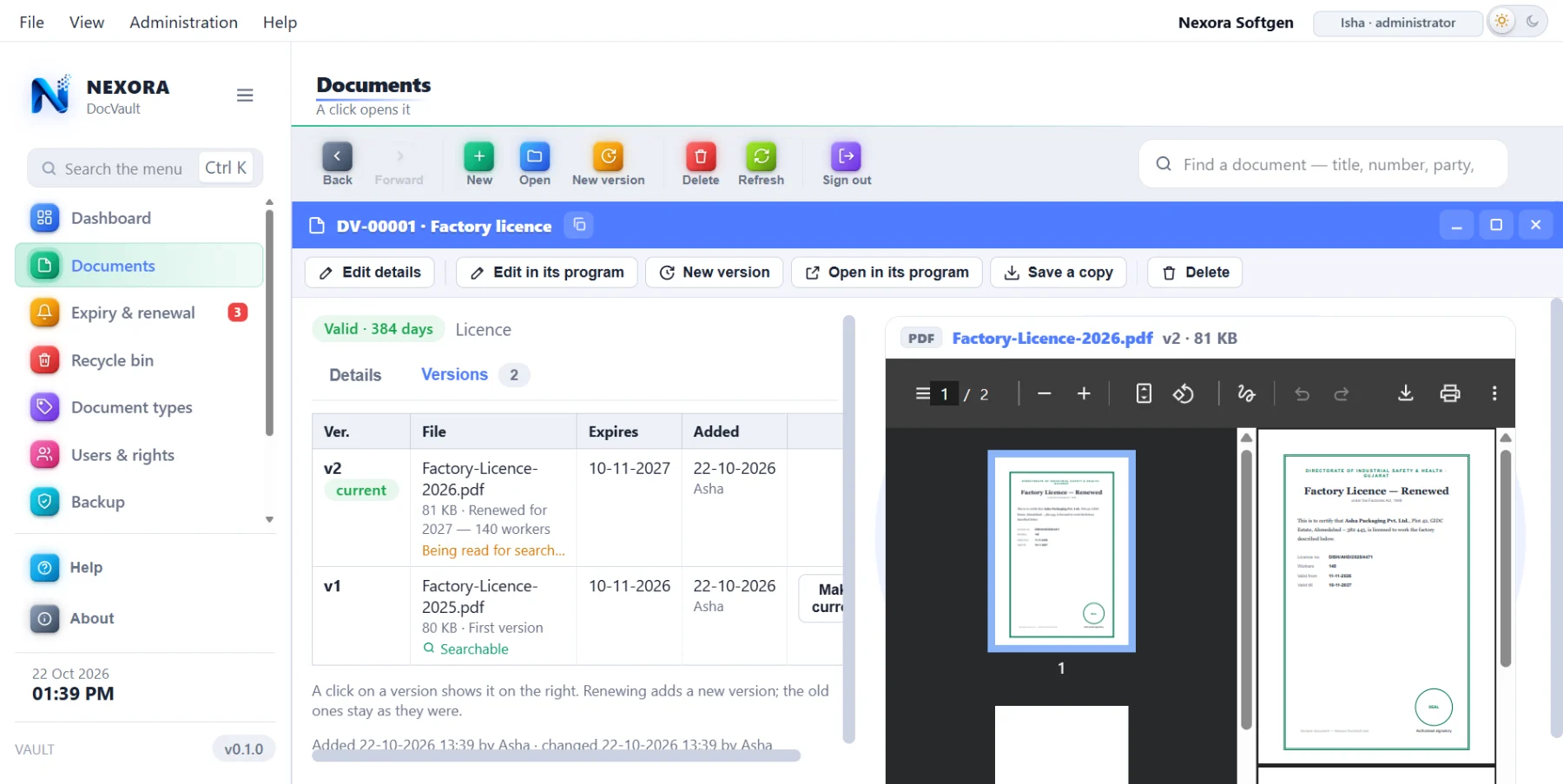
Press Renew and the new paper goes in as version 2. The old one is still there, with its dates, because the day somebody asks "what was the consent before this one?" you need to be able to answer.
Each document type can carry its own renewal checklist — the forms, the fees, the photographs that renewal needs — so the person doing it for the first time is not guessing.
Scan it, photograph it, or drop the file in
The scanner is inside DocVault — no separate scanning program, no file to go and find afterwards. Put the paper in, press Scan, and it arrives as a document. Two pages, ten pages, the same.
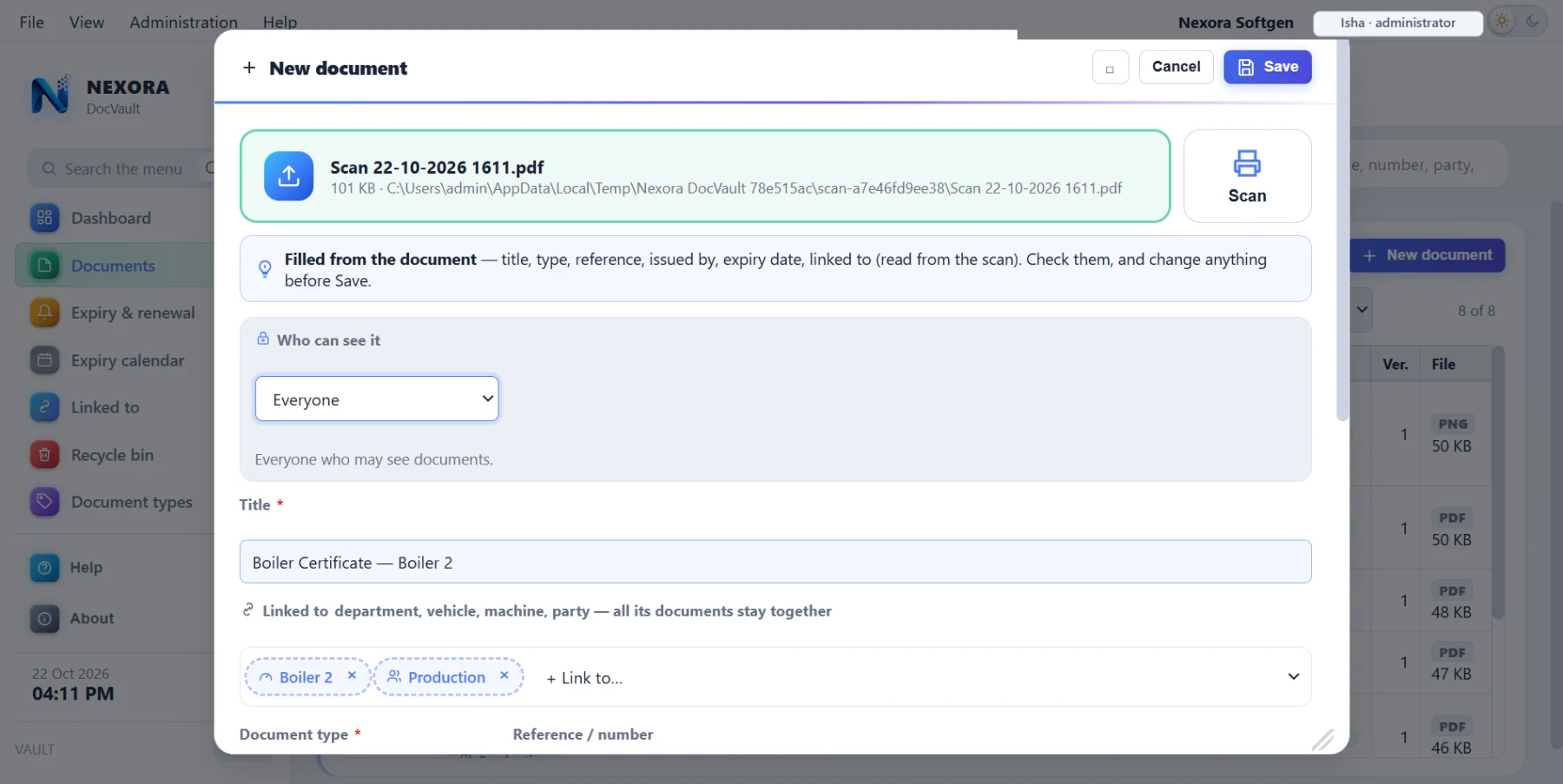
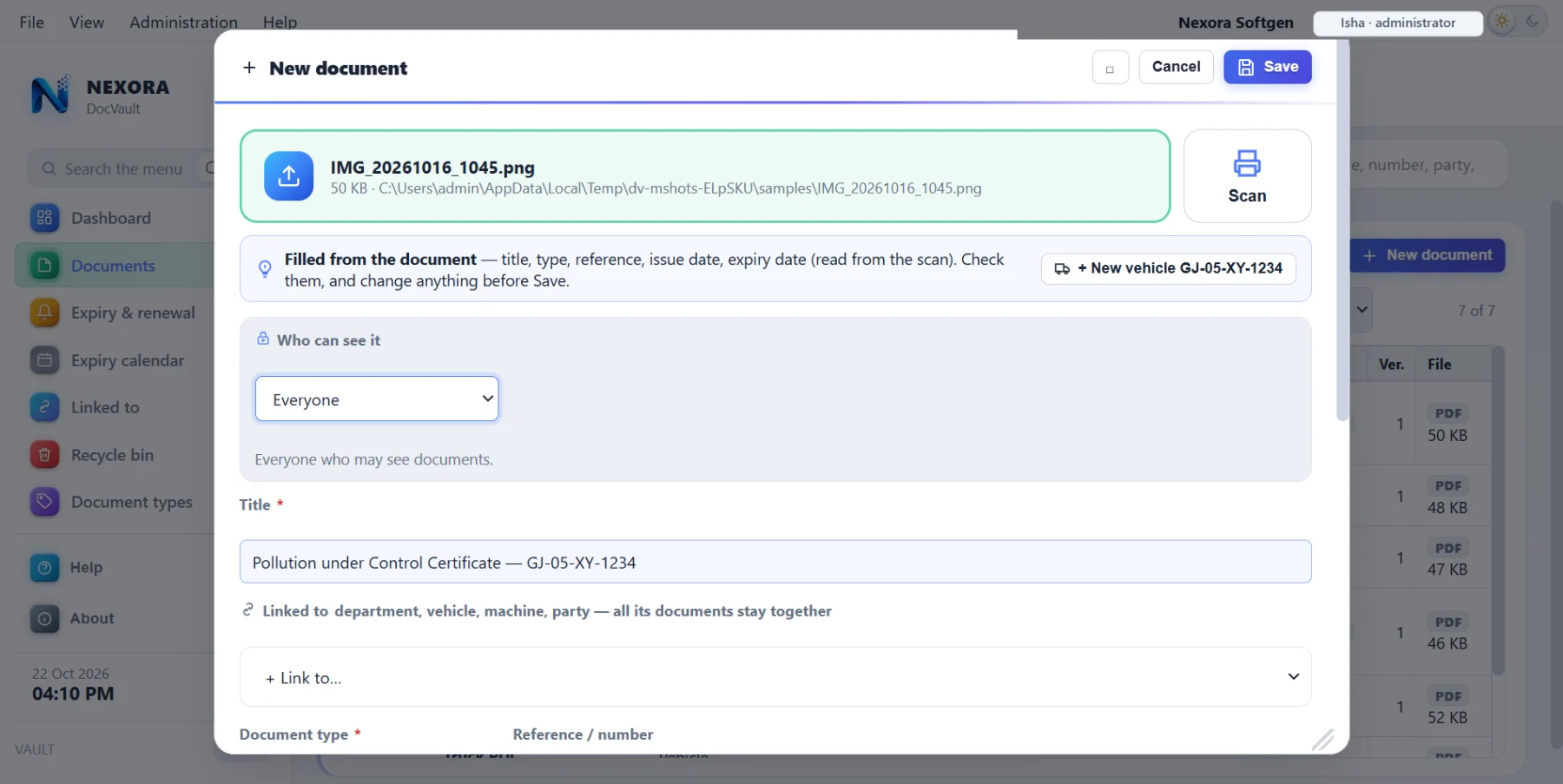
The OCR runs on your computer. English, ગુજરાતી and हिन्दी, with nothing sent anywhere — it works with the internet unplugged. A scanned PDF or a phone photograph becomes text, which means the words inside it can be searched later, and the document's own details can be read off it when you add it.
Open it, read it, change it — without taking it out
Edit in Word or Excel, and it comes back as a version
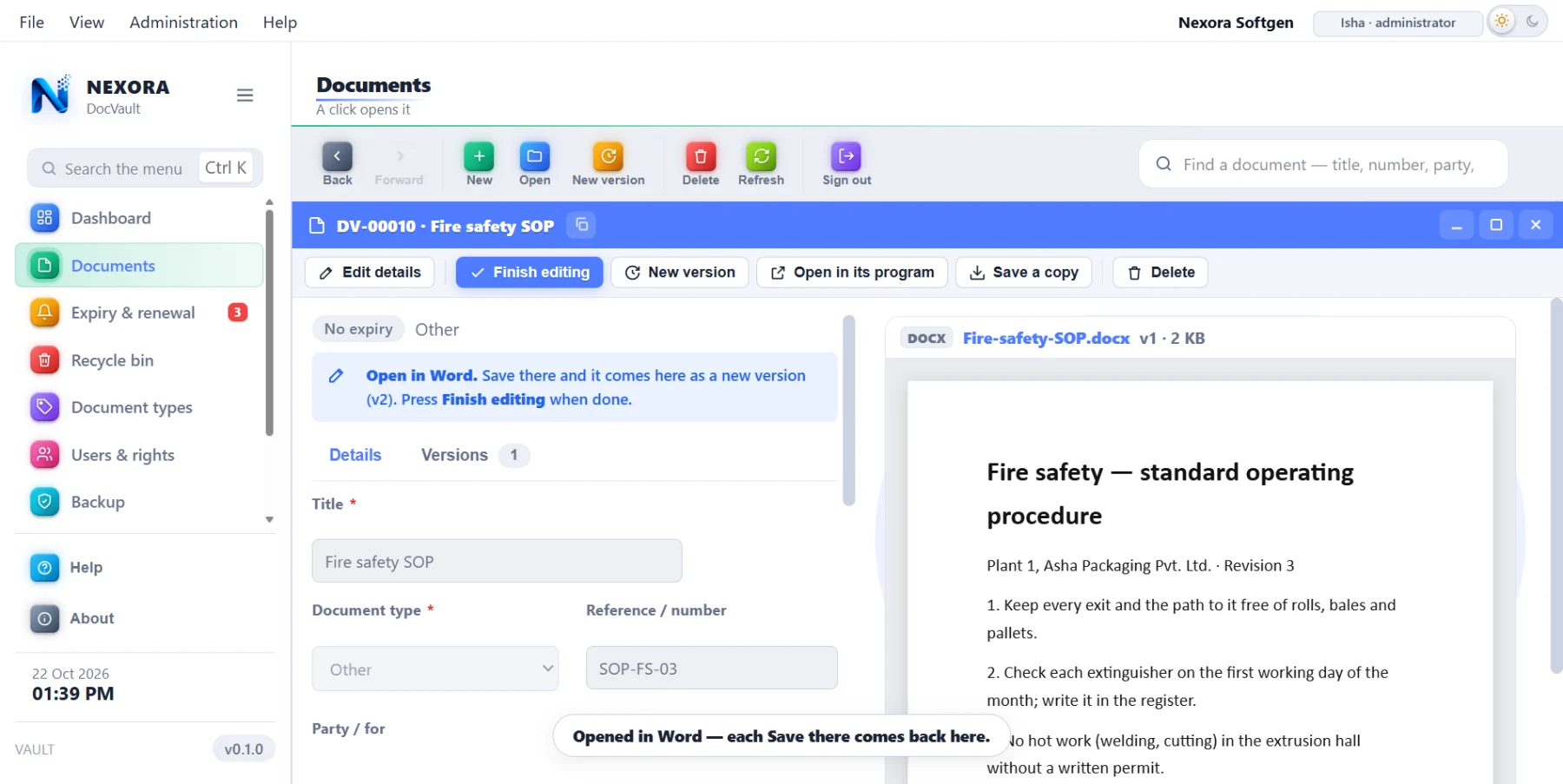
A Word or Excel document opens in Word or Excel — the real one, with all its menus. Save and close, and DocVault takes it back in as a new version. One editing is one version, so the history stays readable instead of filling with twenty saves.
PDFs, pictures and text open inside DocVault, so nothing is copied out to the desktop and left there.
Search the words inside the files
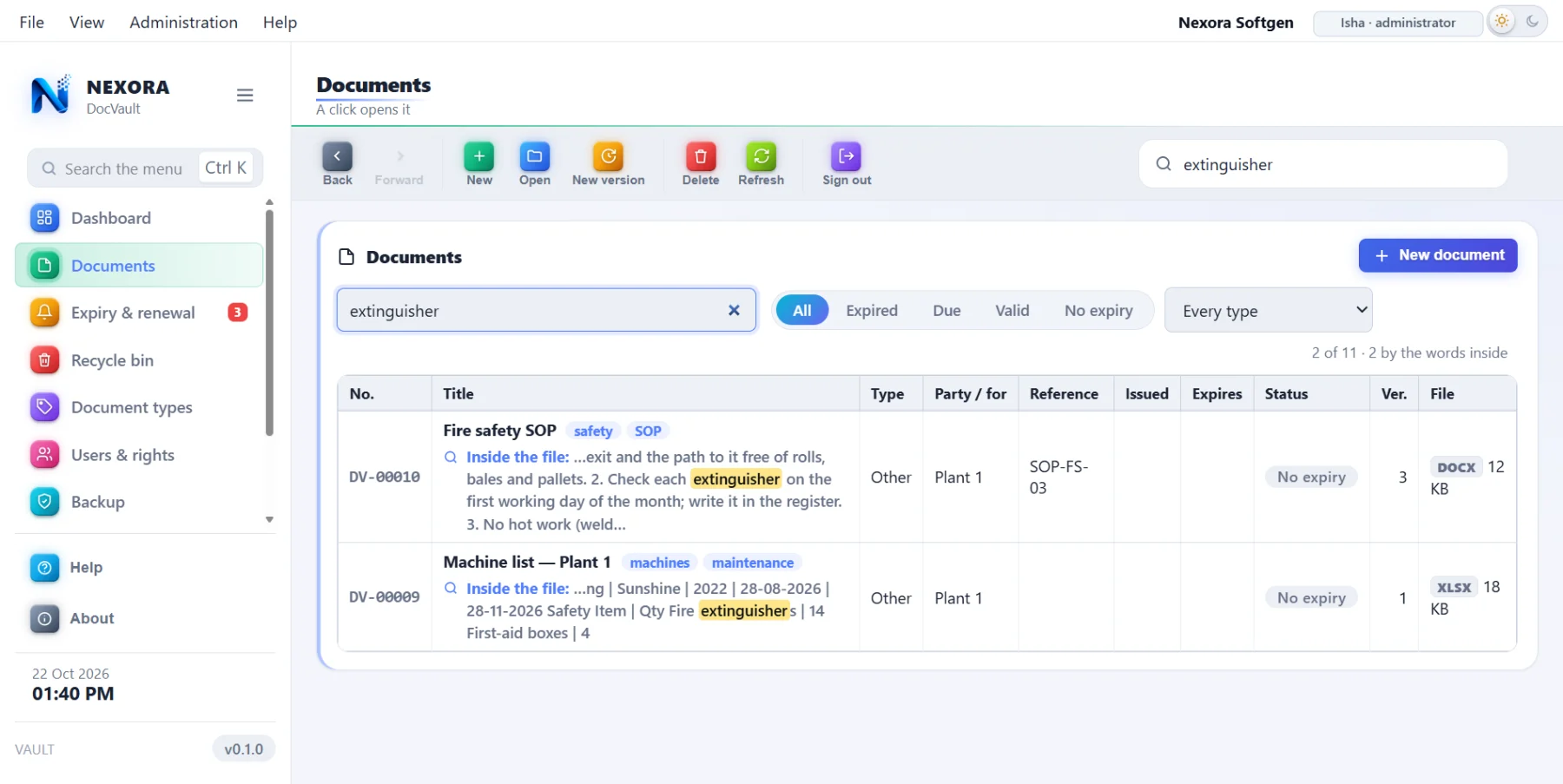
When a file goes in, its text is taken out and sealed with it. So you can search for a vehicle number, a section of an Act, a party's name — and find the document that has it inside, not just the ones whose title happens to match.
Scanned pages count too, because OCR has already read them.
Several branches in one vault, and a document that will not open where it should not
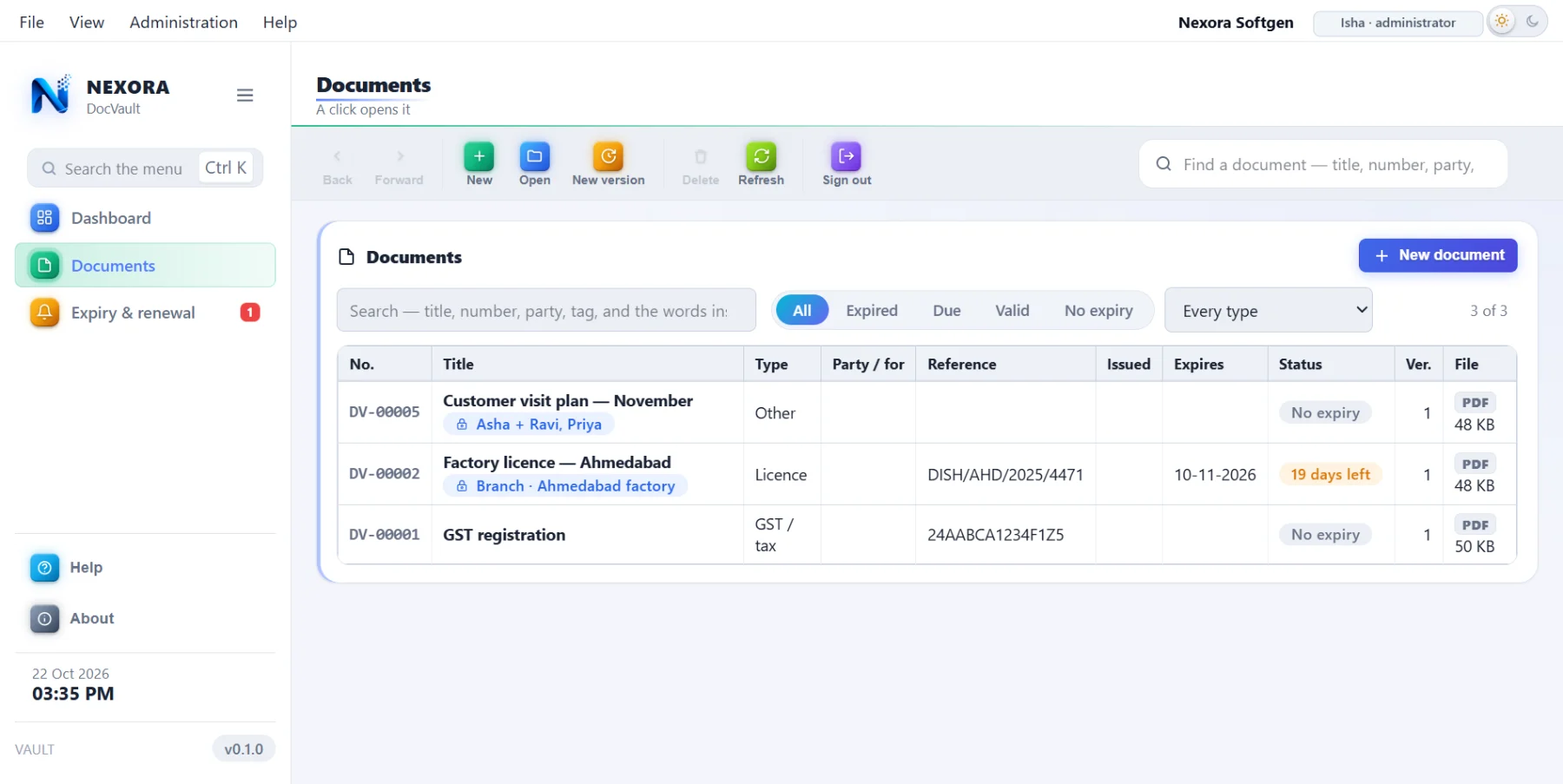
Every person and every document belongs to a branch. A person sees their branch's documents; somebody given "all branches" sees them all; the administrator sees everything. Beyond that, each document says who may see it: only the owner, the branch, everyone, or chosen people.
Not hidden — sealed
A document somebody may not see is not simply left out of their list. It is locked with its own key, and that key is wrapped only for the computers allowed to have it. Even if the file reaches their PC through the sync, it will not open there.
There is a separate right to save a copy to the PC. A person can be allowed to read a document on screen and not to take it away.
Linked to the thing it is about
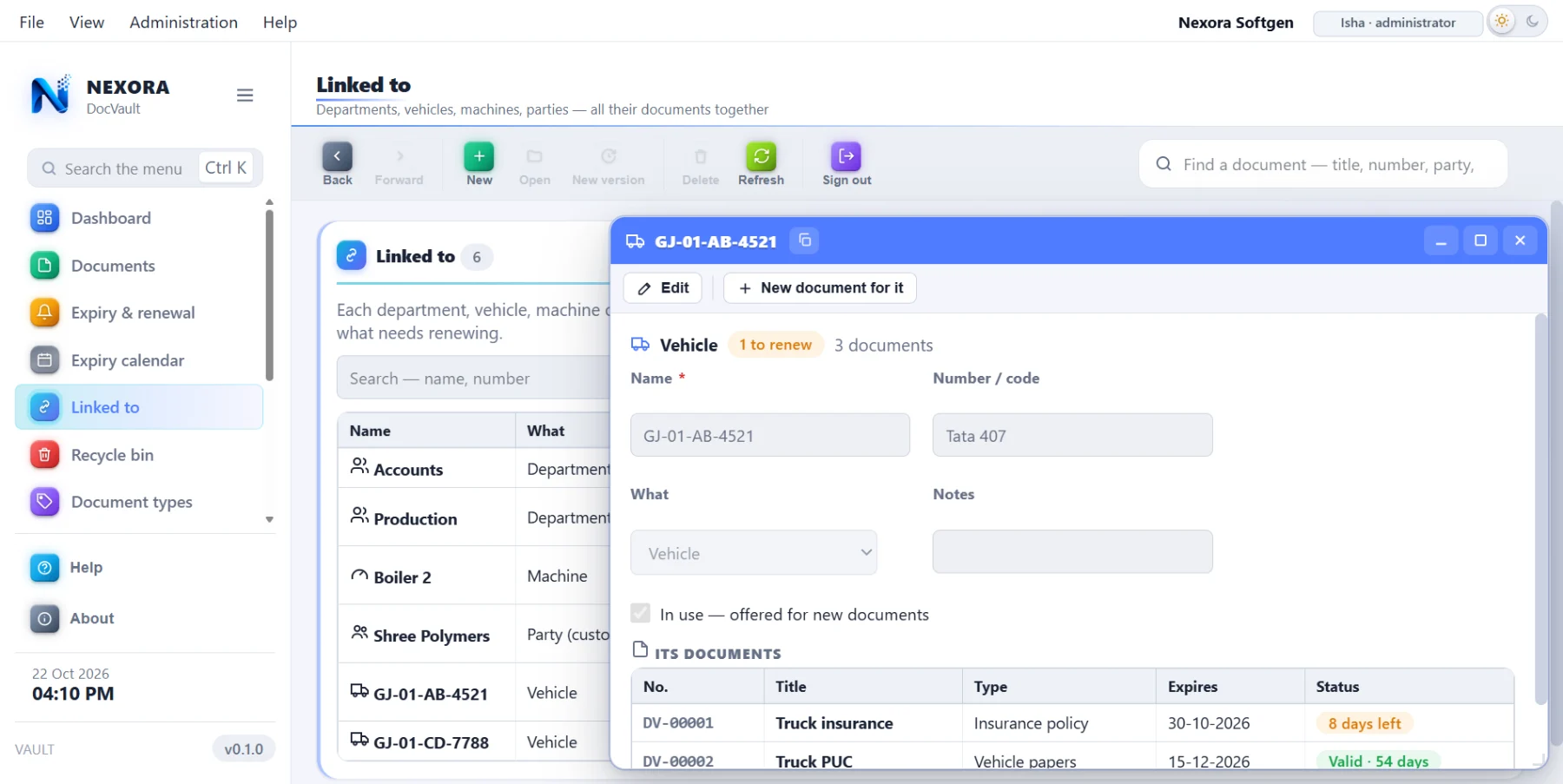
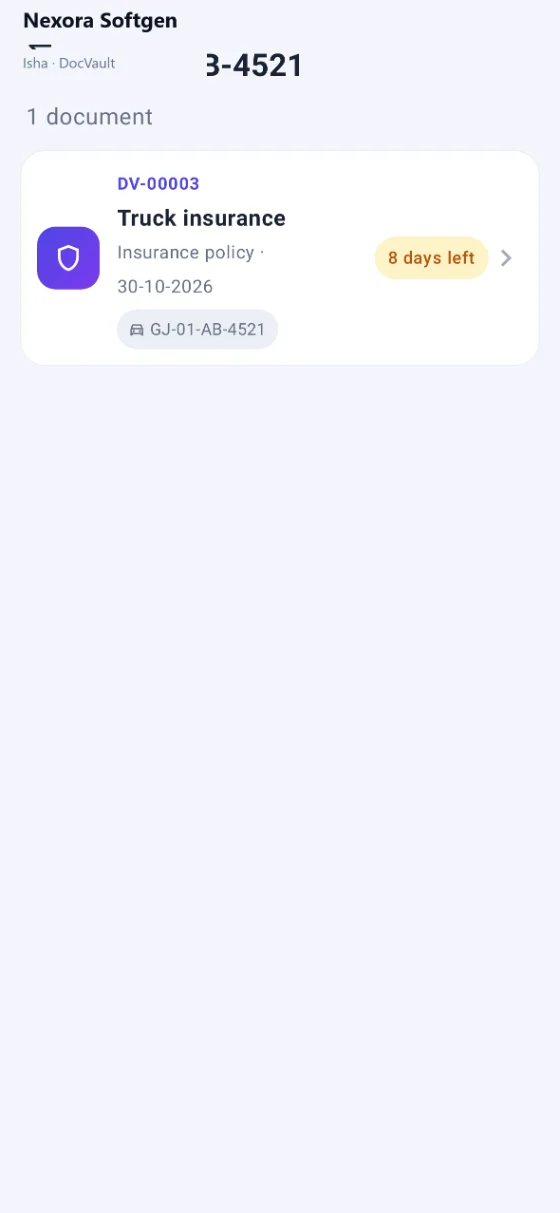
A document can be linked to a department, a vehicle, a machine or a party — so "show me everything for truck GJ-01-AB-4521" is one click, not a hunt: its insurance, its fitness, its permit, its PUC, each with its own expiry.
The alert reaches the person, not the desk
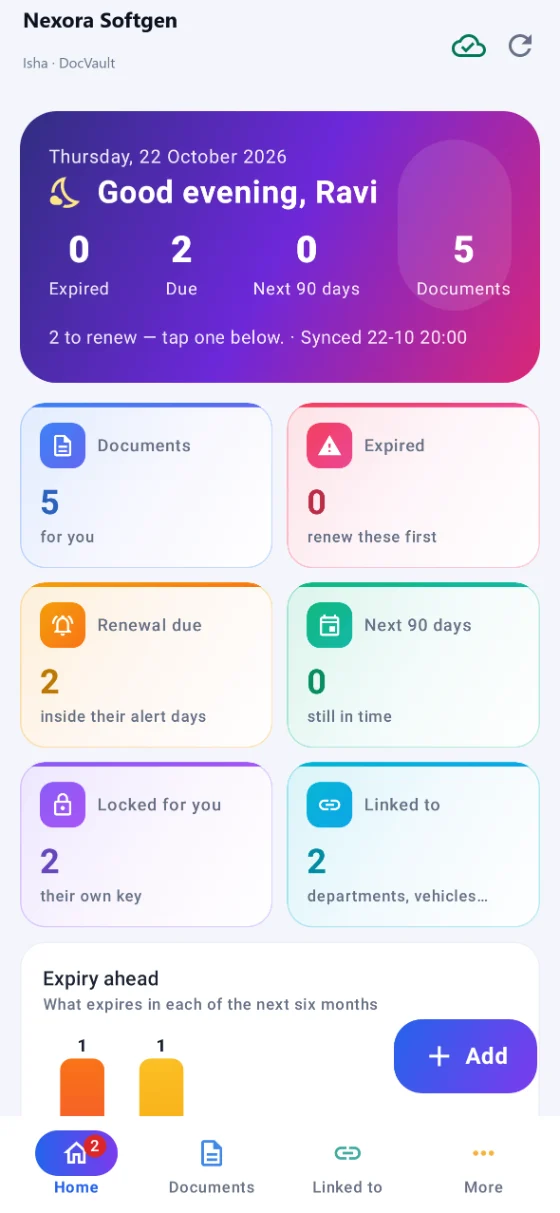
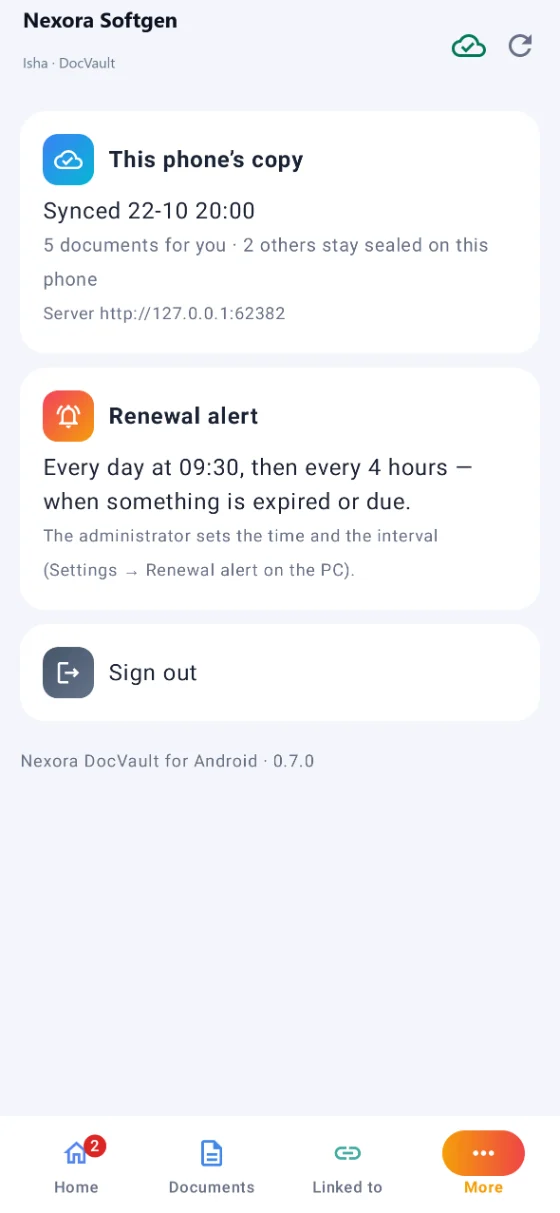
An Android app on the same vault, the same people and the same rights. It carries its own sealed copy, so documents open without a signal, and it puts up the daily reminder at the time and interval the administrator sets — which is the whole point, because the person who has to renew the licence is not sitting at the computer.
Add it where you are
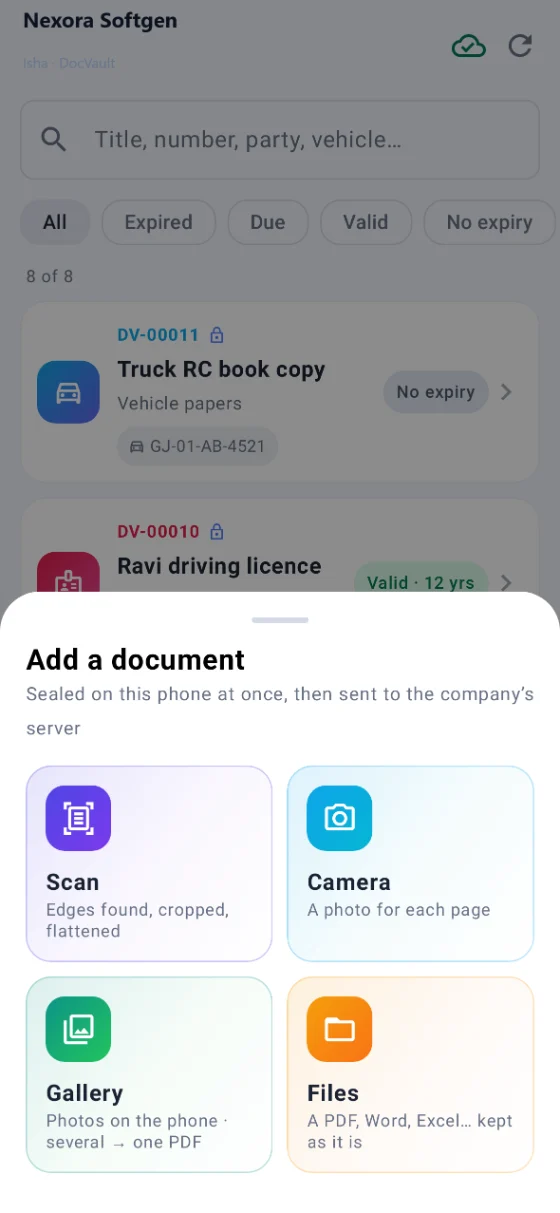
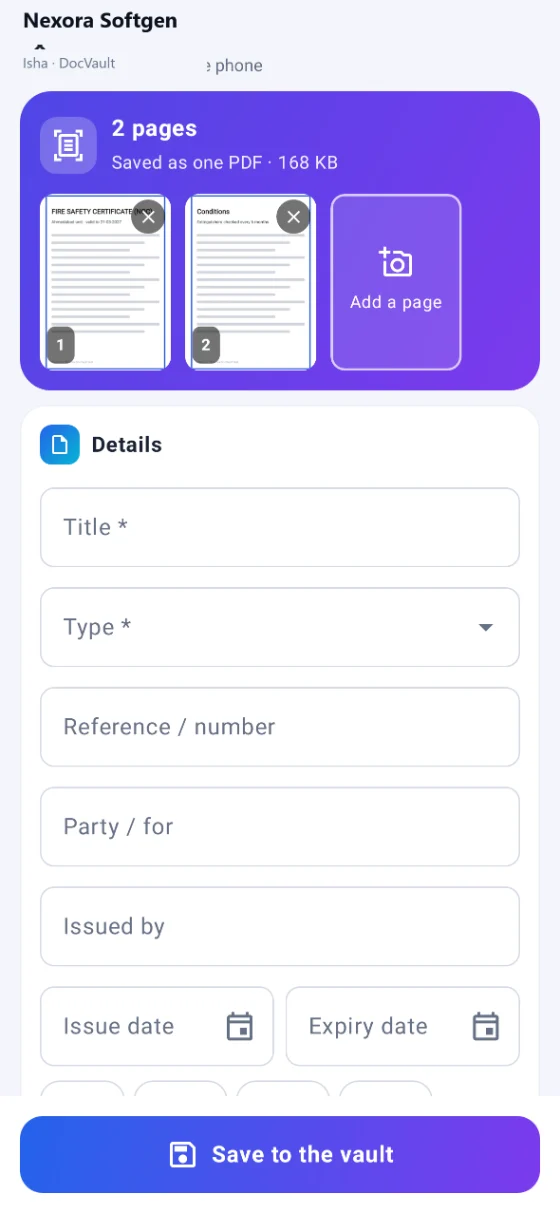
The scanner, the camera, the gallery or a file on the phone. Photograph the renewed licence at the office counter and it is in the vault before you reach the car.
It works without a signal
The phone keeps its own sealed copy. What you add while there is no network is sent at the next sync.
One person, one phone
A phone joins with the company id and code and waits for the administrator's yes. Its key never leaves it, and what that person may not see does not open on it.
No Nexora server stands between you and your papers
DocVault needs nothing of ours to run. The vault is a file on a drive you choose, encrypted. If several computers and phones are to share it, you run the small Nexora Sync Server yourself — on a PC in the office, on your own server, or on hosting you already pay for.
The server cannot read what it keeps
- It holds a sealed copy only — it has no key, so it cannot open a single document
- The server password never travels; each side proves it knows it without sending it
- Every computer and phone signs what it sends, so nothing can be slipped in
- The key reaches a new device only wrapped by the administrator for that device
- Changed in two places at once? Both copies are kept — nothing is quietly overwritten
Set up without an engineer
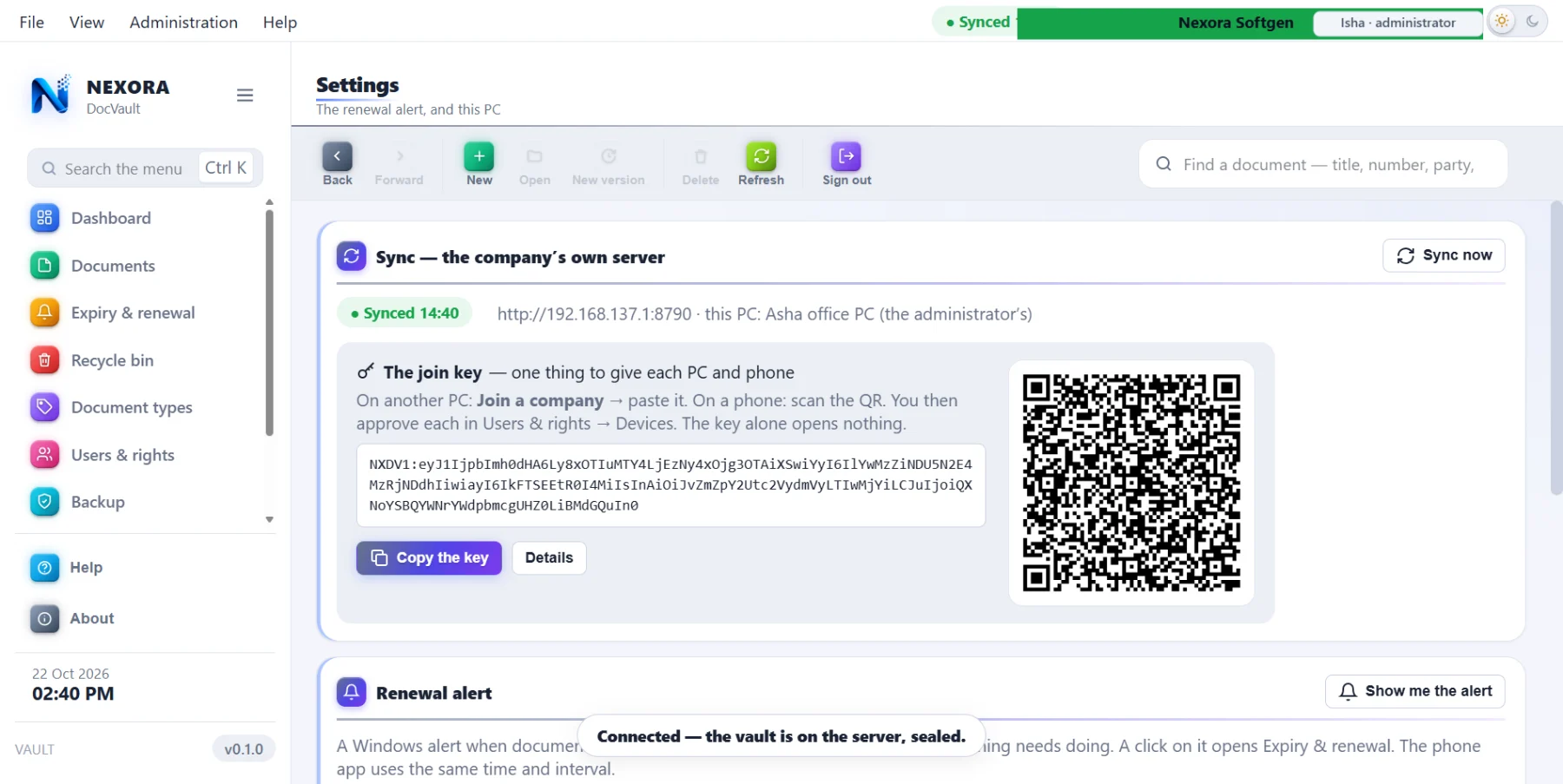
Inside DocVault there is a button that says This PC is the server. No Node, no command window, no batch file; a PC that is only the server does not even need a vault of its own.
It then hands you one join key, and a QR, carrying everything — the address, the company, the code, the password. Another computer pastes the key, or the phone photographs the QR. If the address later changes, they find the server on the office network by themselves.
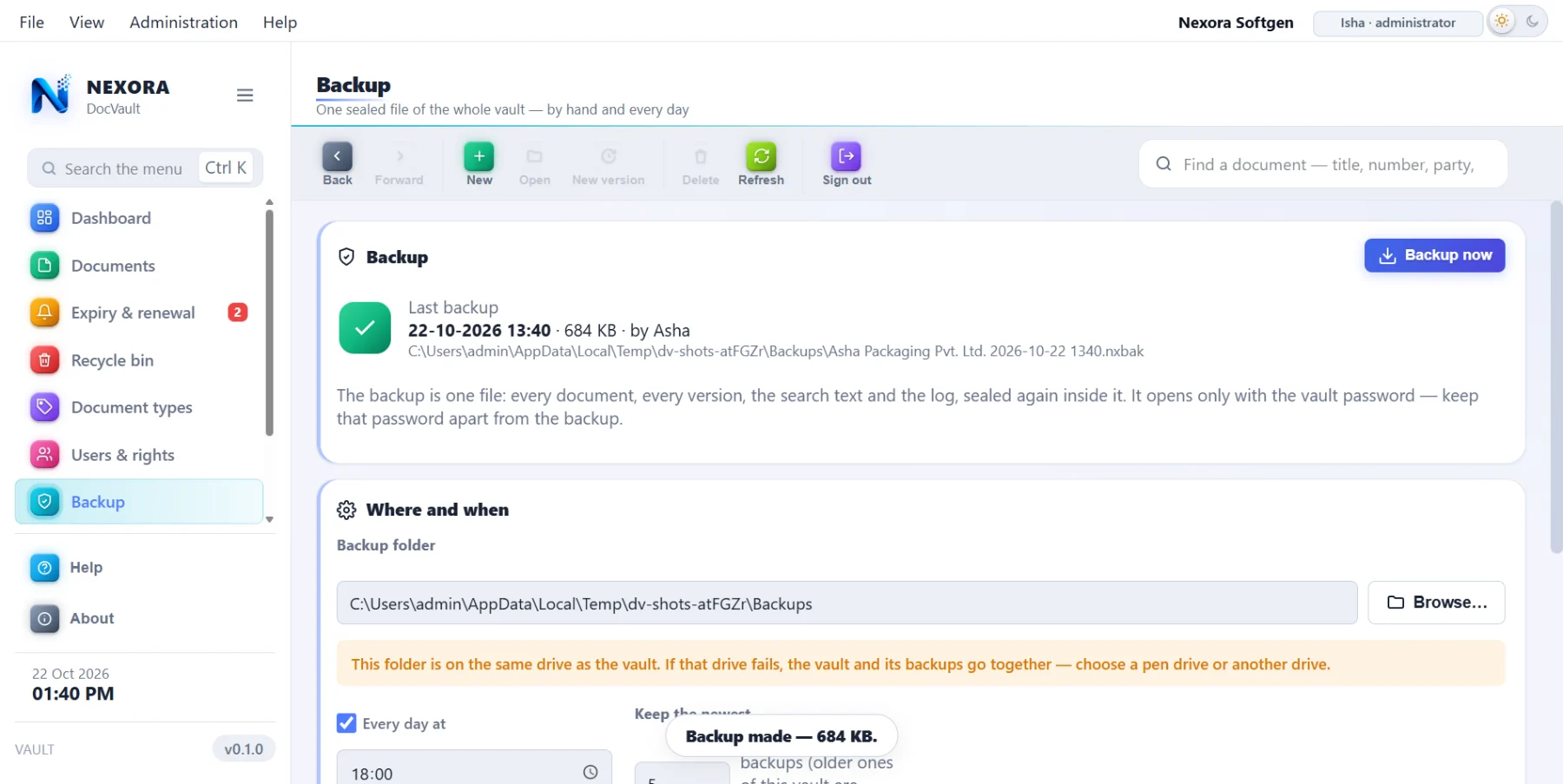
Backups are a single sealed file, taken on a schedule or by hand, and restored with the vault password.
Frequently asked
Where are the documents actually kept?
In an encrypted vault on a drive you choose — the computer's own disk, another drive, wherever you say. It is not a folder of files anybody can open; without DocVault and the password there is nothing readable there. Nexora keeps no copy and runs no server for it.
What happens when a licence is about to expire?
Each document carries its expiry date and its own number of reminder days. DocVault starts with Windows and sits in the tray; once a day it puts up a notice for everything expired or inside its reminder days. The Android app does the same at a time and interval the administrator sets, which is what reaches the person who has to act. There is also an expiry calendar — a month at a glance — and the whole register goes to Excel.
If we renew a document, do we lose the old one?
No. Renew puts the new paper in as the next version and keeps the one before it, with its own dates and its own file. The question "what was the consent before this one?" has an answer. Each document type can also carry a renewal checklist, so whoever does it next knows what the renewal needs.
Can it read a scanned paper?
Yes, on your own computer, with no internet — English, ગુજરાતી and हिन्दी. A scanned PDF or a phone photograph is read, so two things follow: the words inside it can be searched later, and the document's own details — title, number, dates, department — can be filled in from the picture when you add it. You correct whatever it got wrong before saving.
Is there a scanner inside, or do we scan separately?
Inside. Put the paper in the scanner, press Scan in DocVault, and it arrives as a document — one page or ten. Nothing is written to the desktop and left there. On the phone there are four ways: the scanner, the camera, the gallery, or a file already on the phone.
Can we edit a Word or Excel document and keep the history?
Open it and the real Word or Excel opens, with all its menus. Save and close, and DocVault takes it back in as a new version. One editing is one version, so the history stays readable instead of filling up with every save. PDFs, pictures and text open inside DocVault itself.
We have more than one branch. Does each need its own vault?
No — one vault holds them all. Every person and every document belongs to a branch; a person sees their branch's documents, somebody given "all branches" sees them all, and the administrator sees everything. On top of that each document says who may see it: only the owner, the branch, everyone, or chosen people.
If somebody may not see a document, is it just hidden from their list?
No — it is locked with its own key, and that key is wrapped only for the computers allowed to have it. Even if the file reaches their PC through the sync, it will not open there. There is a separate right to save a copy to the PC, so a person can be allowed to read a document on screen and not to take it away.
How do several computers and phones share one vault?
Through a small sync server you run yourself — a PC in the office (there is a button that says "This PC is the server"), your own server, or hosting you already pay for. It keeps a sealed copy and cannot read it: it has no key. The server password never travels, every device signs what it sends, and the key reaches a new device only wrapped by the administrator for that device.
Is it hard to set up?
It was built so it would not be. Turn one PC into the server from inside DocVault — no Node, no command window, no batch file — and it gives you one join key with a QR carrying the address, the company, the code and the password. Another computer pastes the key; the phone photographs the QR. If the address later changes, they find the server on the office network by themselves.
What if two people change the same document at once?
Both copies are kept. Nothing is quietly overwritten and nobody's work disappears; you decide afterwards which one stands.
What about backups?
One sealed file, taken on a schedule you set or by hand whenever you like — to a pen drive, another drive, anywhere. It is restored with the vault password.
How many of your papers expire this quarter?
Most plants cannot say. Show us one cupboard’s worth and we will put it in a vault in front of you — with its dates, its versions and its alerts.